Play Dino Game Online — Free Multiplayer IO Game
About Dino Game
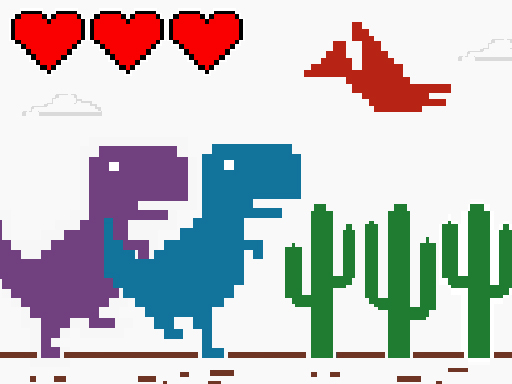
Play Dino Game online! An offline-style dinosaur run for 1–3 players. Jump cacti, dodge flyers, unlock dinos, and race for high scores. Dino Game brings the classic offline dinosaur run to life with fast, responsive gameplay and local multiplayer. Dash across an endless desert, jump over cacti, and duck under swooping dinos as the speed steadily climbs. Play solo to beat your personal best, or switch to 2-player and 3-player modes to race friends on the same device.
How to Play Dino Game
Dino Game Game Features
- Real-Time Multiplayer — Compete against real players online in Dino Game
- Free to Play — 100% free with no hidden costs
- No Download — Play directly in your browser using HTML5
- Cross-Platform — Works on desktop, mobile, and tablet
- Grow IO Gameplay — grow io-style competitive mechanics
How Dino Game compares to similar grow io games
The table below is a genuine side-by-side of the closest titles in this library to Dino Game. They were matched on category and on shared tags rather than on popularity alone, so every row tells you something concrete: the frame the game renders in, whether it is built for a keyboard or a pointer, and which tags it actually has in common with Dino Game. Use it to decide what to open next instead of clicking blind.
| Game | Category | Shared tags | Resolution | Orientation | Primary input |
|---|---|---|---|---|---|
| Dino Game (this page) | Grow IO | — | 800 × 450 | Landscape | Arrow keys / WASD |
| Bubble Shooter: Spinner Pop | FPS Shooters | arcade | 800 × 600 | Landscape | Mouse click / Tap |
| Paper Wars: Battles and Upgrades | FPS Shooters | 2players | 800 × 600 | Landscape | Mouse click or tap |
| Bubble Trouble 2: Rebubbled | FPS Shooters | 2players | 640 × 480 | Landscape | Arrow keys / WASD |
| Robberies 3D | FPS Shooters | arcade | 800 × 600 | Landscape | Arrow keys / WASD |
| STELLAR GUARDIAN | FPS Shooters | arcade | 800 × 600 | Landscape | Mouse click / Tap |
| CS: Command Snipers | FPS Shooters | arcade | 800 × 600 | Landscape | Arrow keys / WASD |
Controls and device compatibility
Dino Game renders in a 800 × 450 frame — a 16:9 aspect ratio in landscape orientation, so the practical recommendation is best on desktop. The input pattern below is read from the publisher instructions for this specific title rather than copied from a generic template, so it reflects how Dino Game actually plays.
- Arrow keys / WASD — Movement runs through the keyboard, so a physical keyboard helps.
- Mouse click / Tap — Point and click on desktop, or tap the same spot on a touch screen.
- Spacebar — The core action is bound to the space key, so one hand is enough.
| Resolution | 800 × 450 |
|---|---|
| Aspect ratio | 16:9 |
| Orientation | Landscape |
| Recommended device | Best on desktop |
| Primary input | Arrow keys / WASD |
| Technology | HTML5 — runs in the browser with no install |
Frequently Asked Questions
Is Dino Game free to play?
Yes, Dino Game is completely free on FayLao IO. No hidden fees, no subscriptions. Just real-time multiplayer action.
Do I need to download Dino Game?
No, Dino Game runs in your web browser. No downloads or plugins needed — works on Chrome, Firefox, Safari, and Edge.
Can I play Dino Game on mobile?
Yes, Dino Game works on mobile devices with a modern browser. Touch controls are supported.
Is Dino Game multiplayer?
Yes! Dino Game is a real-time multiplayer IO game. Compete against other players online in your browser.
What are similar games to Dino Game?
If you enjoy Dino Game, try Bubble Shooter: Spinner Pop, Paper Wars: Battles and Upgrades, Bubble Trouble 2: Rebubbled. Browse our Grow IO collection for more.
Games Like Dino Game
More grow io games for competitive players.